Dungeons and Dragons’ Skill Check
The classic skill check employed by Dungeons and Dragons has several rules, and most of them need to be broken down, espeically to script everything out. So, let’s dive right into it.
Game Design Philosphy.
The first thing to keep in mind is to make everything modular. I want to make sure that this can be called almost anywhere like the Level Blueprint, the player character, enemies, and just general skill checks. This modularity should help with expansion and create systems that is not just well made, but create with proper design and programming documentation.
Game Made in Unreal Engine 5
Made for PC (Only Includes Mouse and Keyboard)
Modularity.
The first thing to keep in mind is to make everything modular. I want to make sure that this can be called almost anywhere. Level Blueprint, the player character, enemies, and just general skill checks. In the game, this can be called anywhere, making this extremely versatile.
Let’s Break it Down
Dungeons and Dragon’s skill checks are pretty complex when the full mechanic is broken down. Luckily, I’ve been obsessed with DnD since I was in high school and played as my friends’ dungeon master. Each skill check takes into account a couple things:
Dice Type (D4, D6, D10, D20, D50, D100)
Ability (Con, Dex, Str, Wis, Int, Cha)
Skills’ Proficiency or Expertise
Buffs/Debuffs (some of them stack and others do not)
Now these all come together to make what I call the “The Beuatiful Roll” and gives rise to many different ways to calculate these.
D20+Ability Modifier + Proficiency/Expertise + Buffs/Debuffs
Now, when playing in person as a Dungeon Master, a simple look through a character sheet, and I can tell if a player has expertise in something or not. This is a bit tricky in programming, so we have to take it slow and methodical.
We can break down the dice types and we can easily calculate the ability modifer. But the expertise and proficiency in skills are much harder to calculate. This is because of the way we store data, and what is the most efficient way to store it. But to do that, we can actually break down the skills. Each skill is governed by an ability. For example, Athletics is governed by Strength and Arcana is governed by Intelligence. Using this, we can actually break down the skills into categories. This is, in fact, how the DnD book I used in 10th grade did it!
So, let’s actually start making this in Unreal Engine 5!
Where does it start?
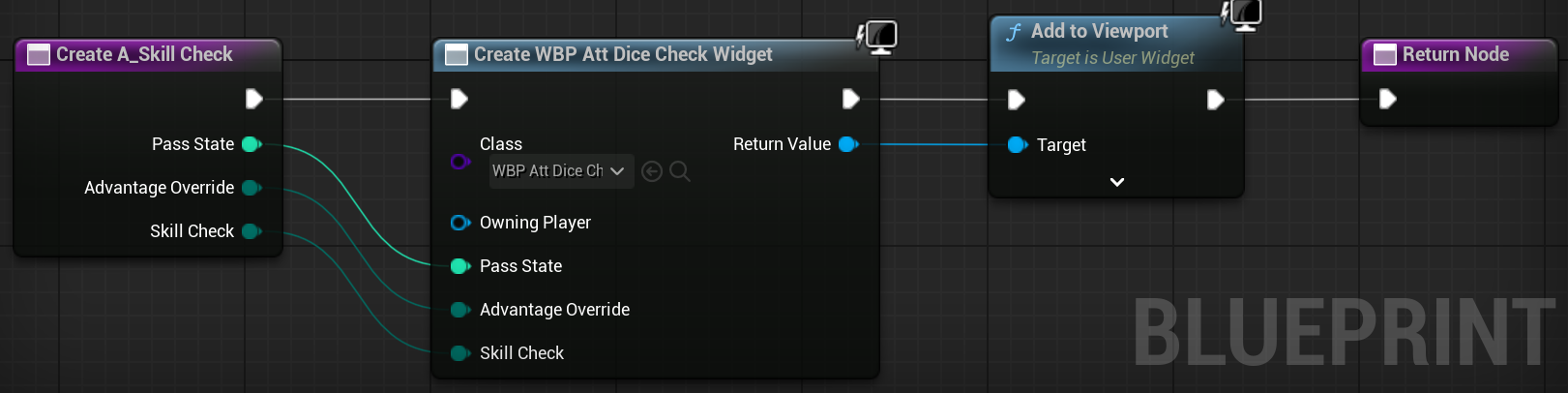
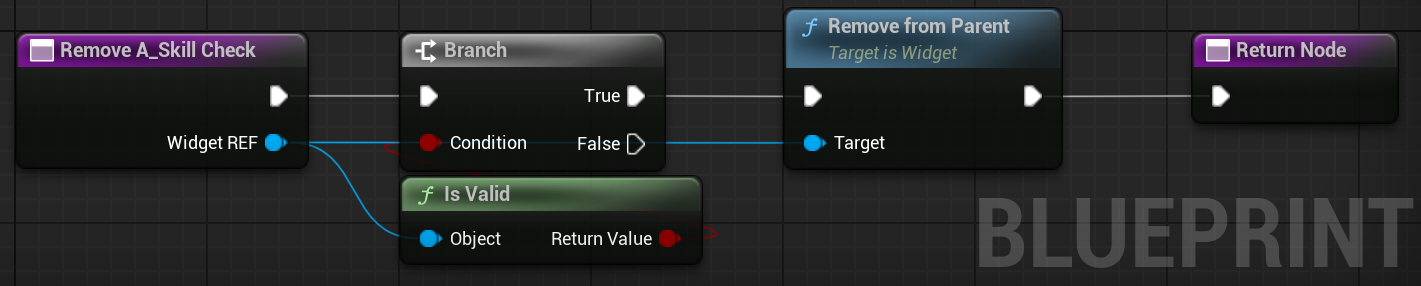
Regardless of stats, the player should be able to grab a skill check. The lack of the abilities makes them a layman, so all the math can happen. For this, we create a skill check function in the blueprint function library. That way, it can get called from anywhere and in any blueprint. This reduces the need to cast things. Within that function, I create a widget and have another function to close it all down.
Set Up.
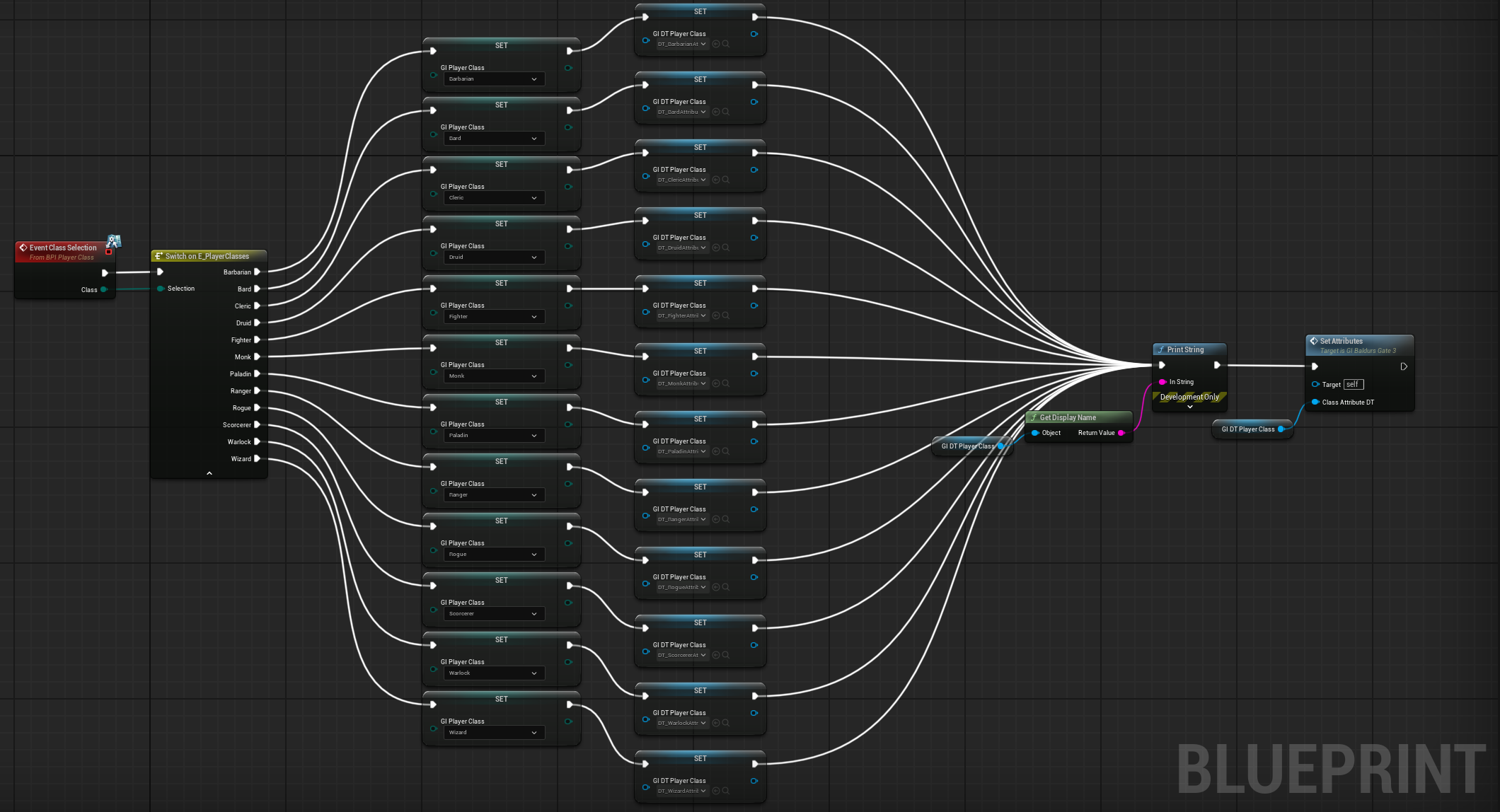
Skill checks are all and good only if there are actual stats to work with. So, I made several enumerators and structs to set it all up. But these need to travel across levels if this expands into a bigger and bigger game. So, it’s best to keep all of these values in the game instance. The fantasy here is to get all of the values the player would want to deal with like class, race, background, and more to gain the proficient skills and more that they want to get.
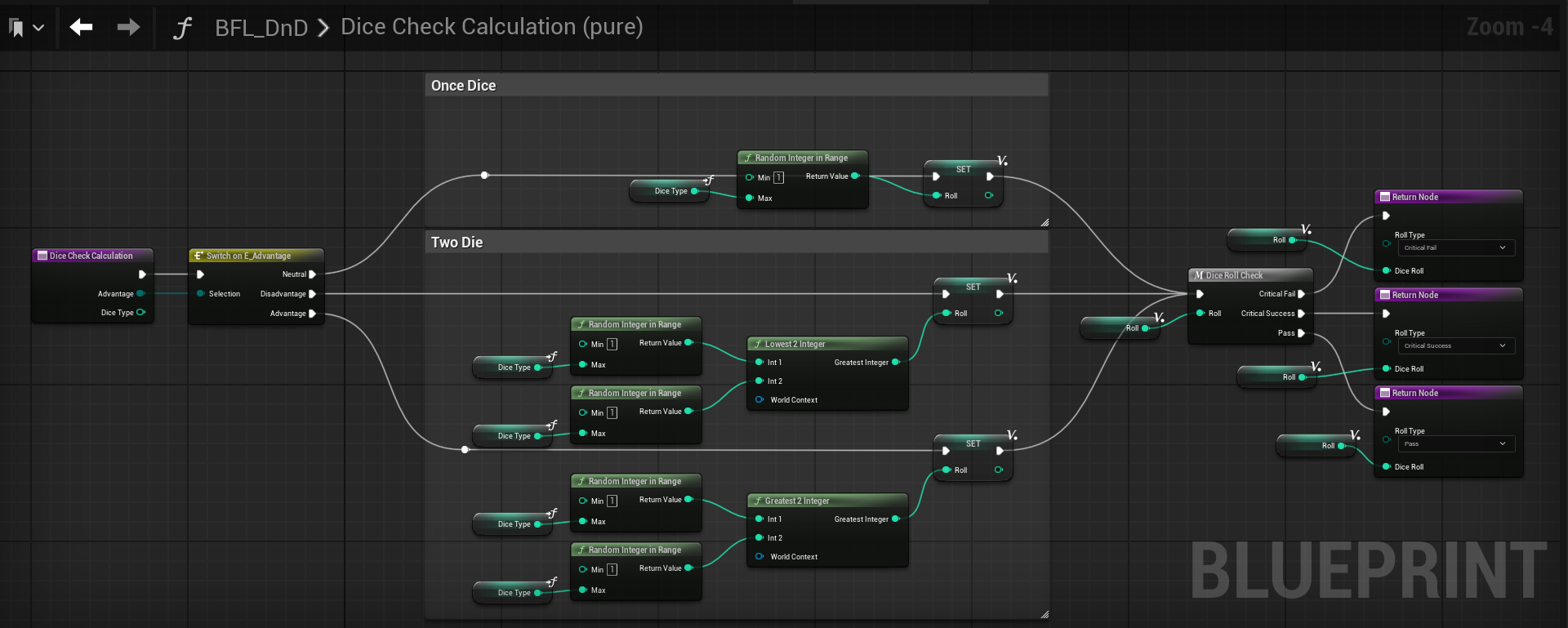
The backbone of DnD is the dice roll, so this must be done as modular and perfect as possible. There are two inputs: advantage and dice type. The advantage determines the number of dice to roll and which one to pick while the dice type determines what kind of dice to roll.
Passing advantage on an enum allows three different methods. Creating my own blueprint function library for simple math (greatest and lowest integer), I can quickly determine the number I need, and then pass the values through after a quick check on the macro that I made.
In the end, this allows me to increase the modularity so that I can mess with anything at any given time.
Adding a new class here is not difficult, and since race and background follow a similar process, adding something new is extremely simple.
There is still more to optimize, but as a working prototype, this keeps everything simple, modular, linear, and easy to expand with very little scripting.

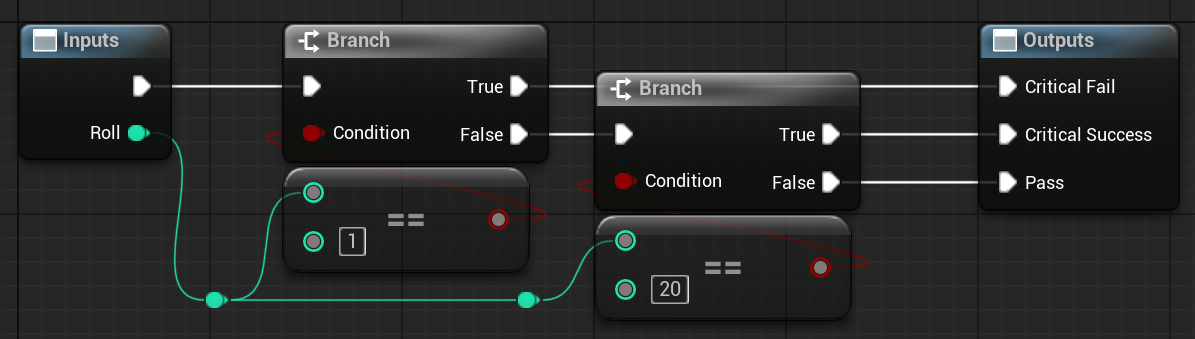
Since only the D20 die has a critical success or fail, I can pass the dice roll into this macro and it will determine the type of pass or fail I get. This means that when I want to roll a D8, then the options will be fail or pass for a skill check of some kind determined by the DM. For a D20, this will make it much easier and allow the program itself determine it before the Dice Check Calculation function concludes and we can pass that state through.
Different Throws.
Skill Check.
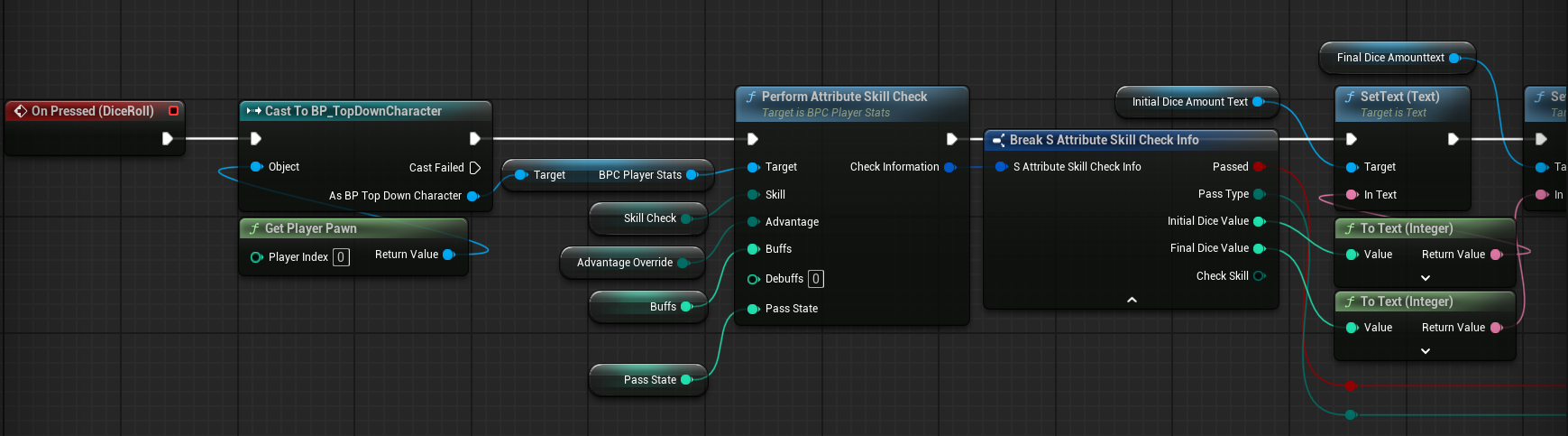
The actual function calls to many different functions inside of it. But the base premise starts as follows. The player stats are called and I can pass all the relevent information as needed. To perform a skill check, I need the skill that is being check (athletics, acrobatics, arcana, etc.), the advantage of the player, buffs/debuffs, and the pass state (the amount to pass the skill check). The skill check widget is to add more modularity. This gives a quick notification if the player passed something like a perception check to detect traps, treasure, or other secret items/places. From here, I get the dice check. This checks for advantage and passes along the roll type (critical fail, pass, critical success), and the actual roll itself. This is because every time I was calling the struct, I was recalling the dice check calculation function again and bringing in a new value. Keeping it a local variable let me just have one value that remains constant.
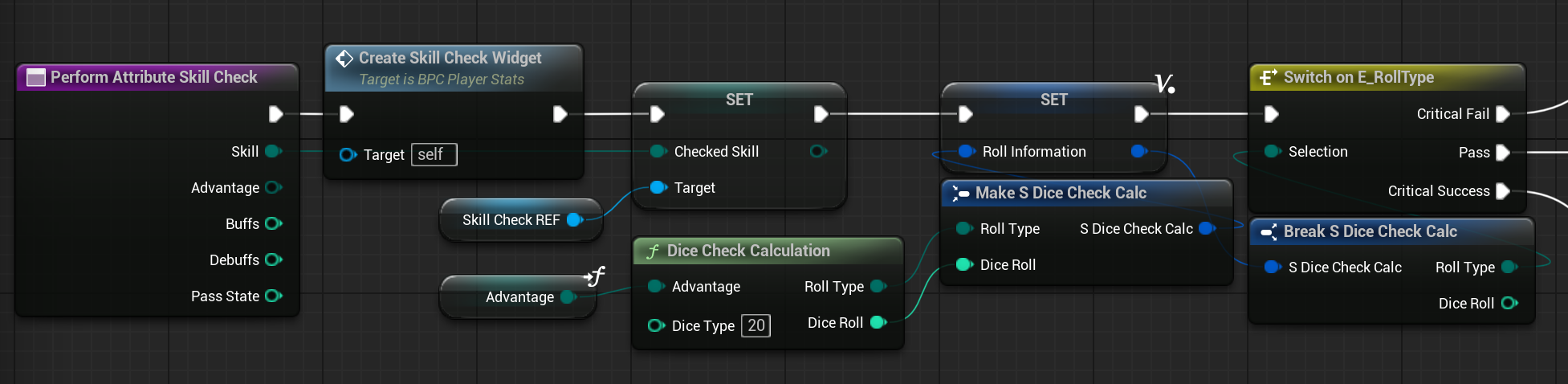
There are three main pathways, critical fail (player rolled a 1), critical success (player rolled a 20), and pass (2-19 inclusive). Critical Success and Fail are both the same in their functionality-just different on the values they pass through.
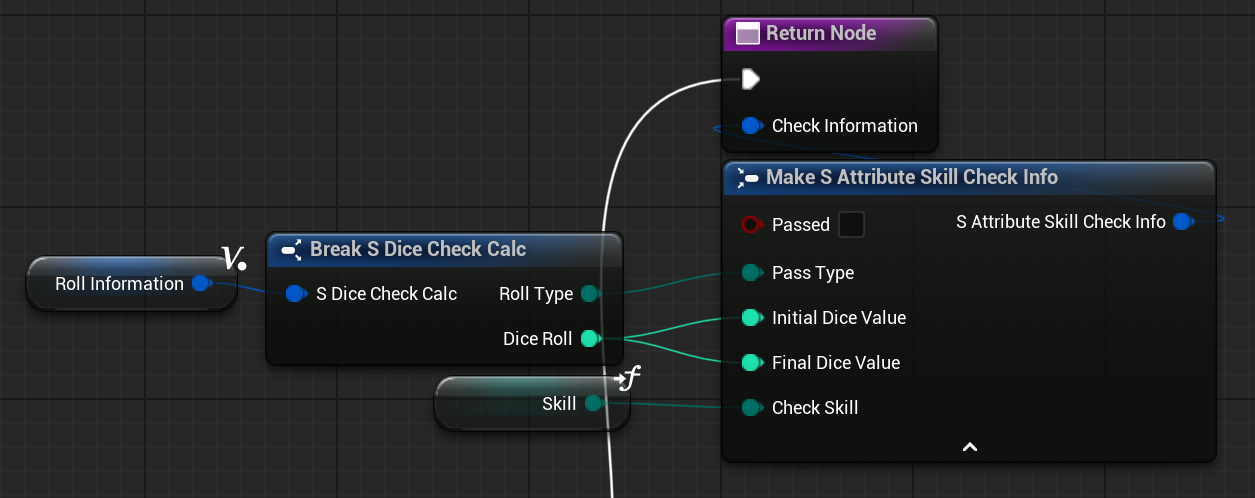
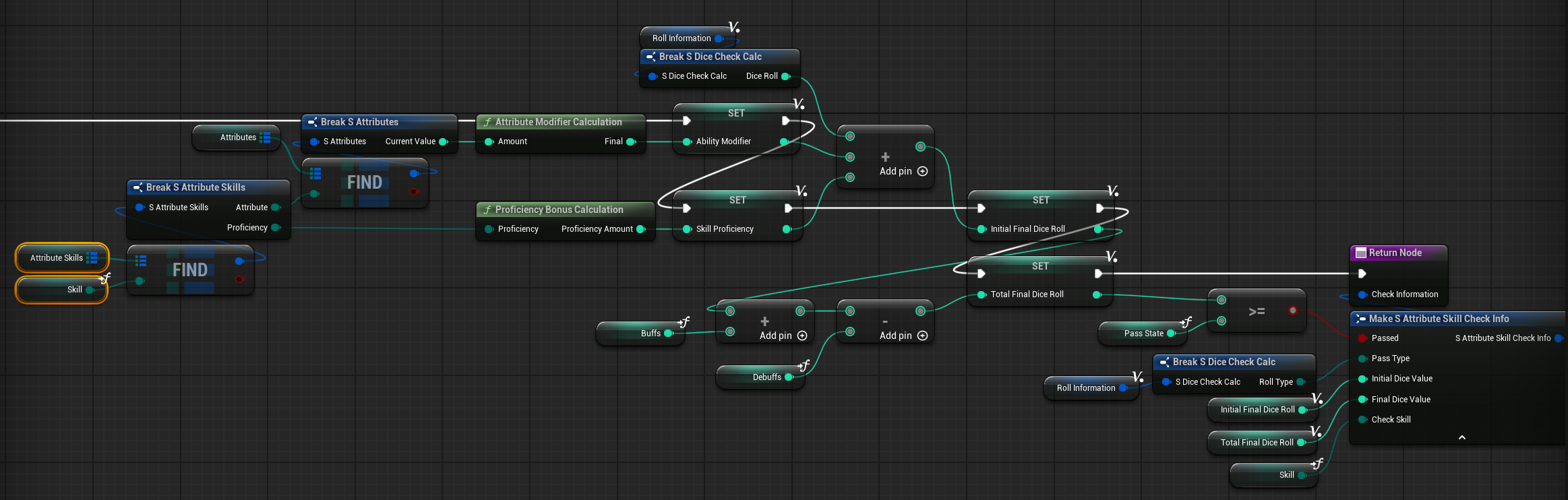
A lot of the nodes are compacted together, but this is basically taking the attribute modifier, the proficiency bonus in the skill (including expertise), and the dice roll initially calculated and putting them all together into the initial final dice roll. Now, here, buffs and debuffs are calculated, but it must be noted that these are buffs/debuffs added to the player and it does not check where the buffs/debuffs come from nor if they are valid. Just has the functionality for it.
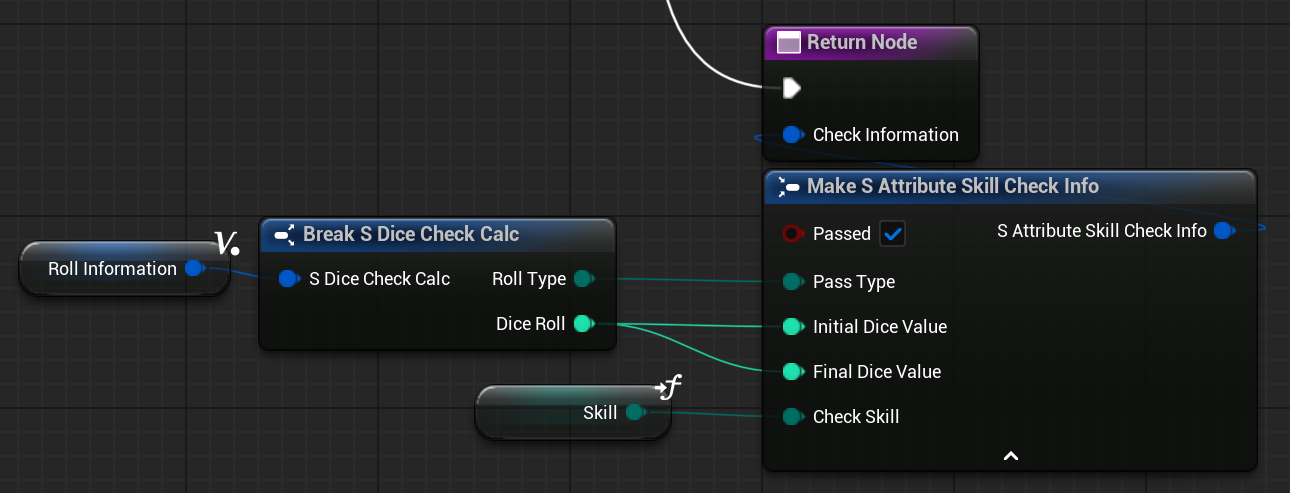
In the end, all of this gets passed into the Attribute Skill Check Info struct which contains the pass/fail boolean, the pass type enum, the initial dice value, the final dice value, and the checked skill. This way, everything is on a struct and neatly arranged together instead of having everything be its own variable. It’s neat, simple, easy, and modular.
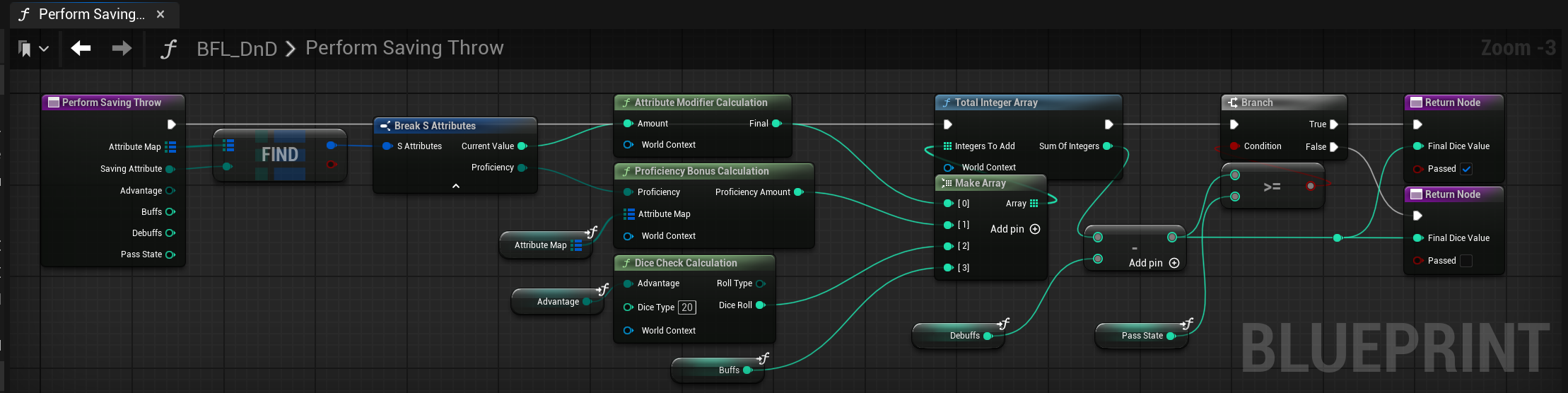
The saving throw is done in the blueprint function library, allowing any class to call it and perform it. The Saving Throw takes the attribute needed and calculates the attribute modifier, the proficiency bonus, and a classic D20 dice roll and then subracts and adds debuffs and buffs. Upon comparing to the pass state, it returns all the needed values.
Proficiency Calculation.
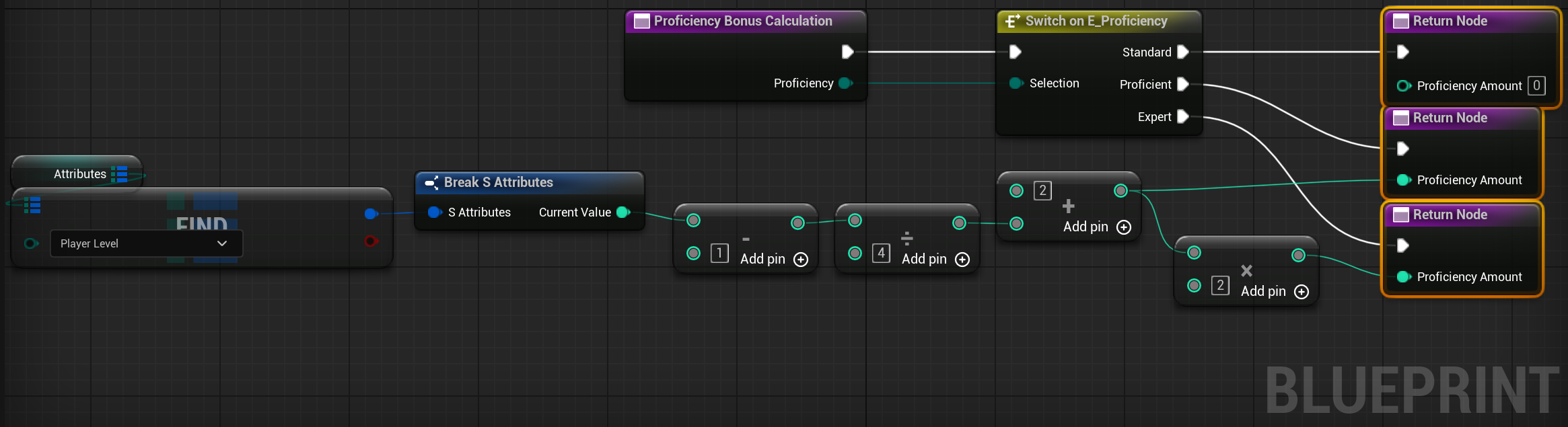
The proficiency bonus is math taken from the player’s level. There is a table that can be easily consulted, but you could also break down the math into a pattern. From my testing, it seemed correct. From my time as Dungeon Master, I got very familar with the tables that were used, but simple math is also very easily doable. Regardless of the math, this does give us the bonus. Based on the different types of proficiency, different results will occur. No proficiency gives 0, proficient gives the basic amount, and expert gives that amount multiplied by two.
Attribute Modifier Calculation.
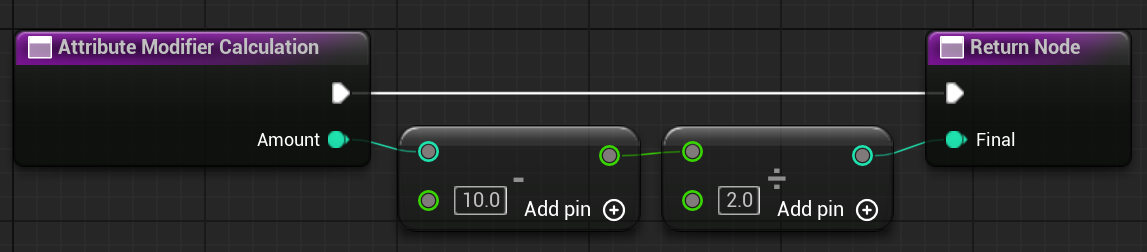
The Stat Modifier brings in one of the base abilities (Con, Dex, Str, Wis, Int, and Char) to grant the bonus. This bonus, I am very confident is right based upon the rules of DnD that I have researched. I tried to take everything into a formula to pull math instead of just doing switches or if-statments as these are also tied to the player level. As I am dividing, I will be working with data type conversions as well, and so the math was done to support those. This also goes into a negative territory, which I noticed Baldur’s Gate 3 did, so I left it alone and did not try to make a if-statment out of it.
Character Customization
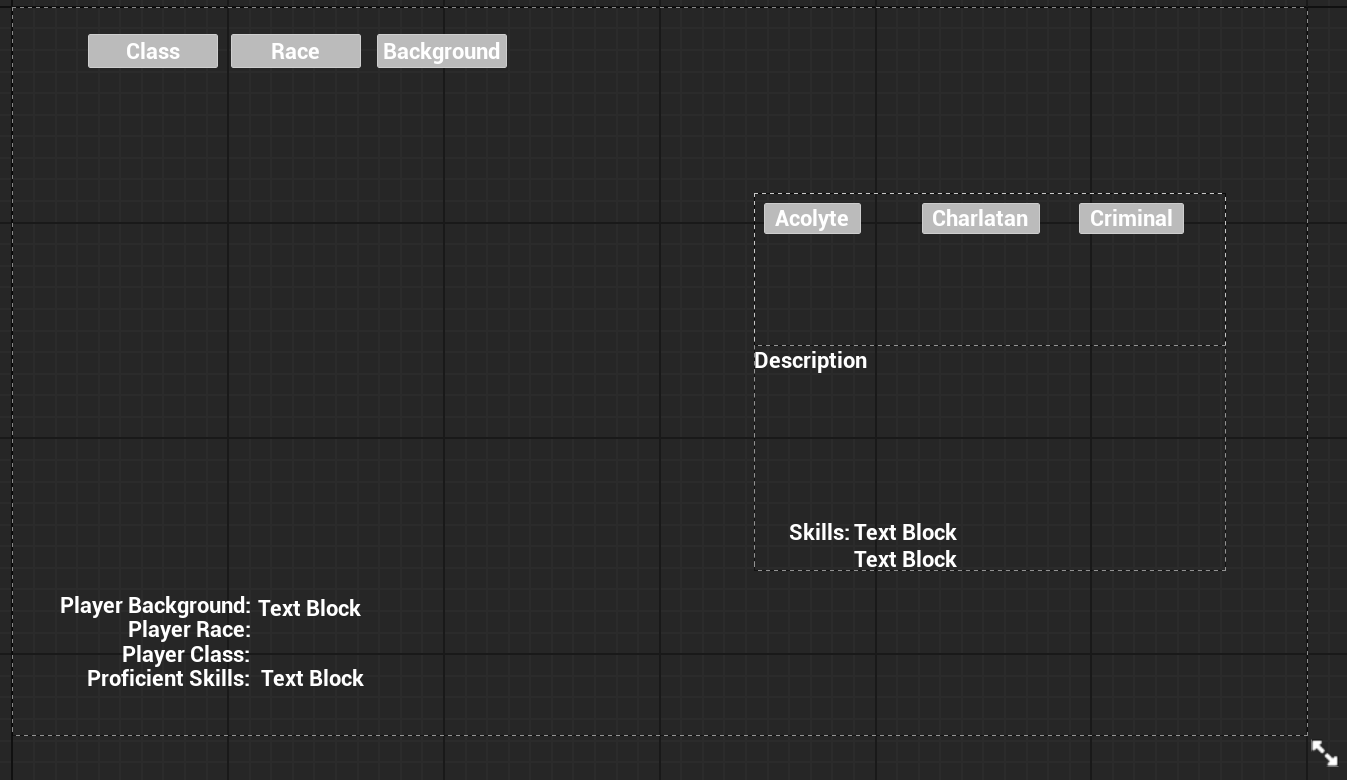
Class selection will give a list of all the skills to choose to be proficient in. In addition, the messages at the bottom will give a full and complete list in all the ways that matter to the player. Games like Baldur’s Gate 3 does this on the right side of the screen. As I do not have player’s appearance, I put everything in a simple widget without editing it at all. Each button for the character class is made with that functionality and to pass information through.
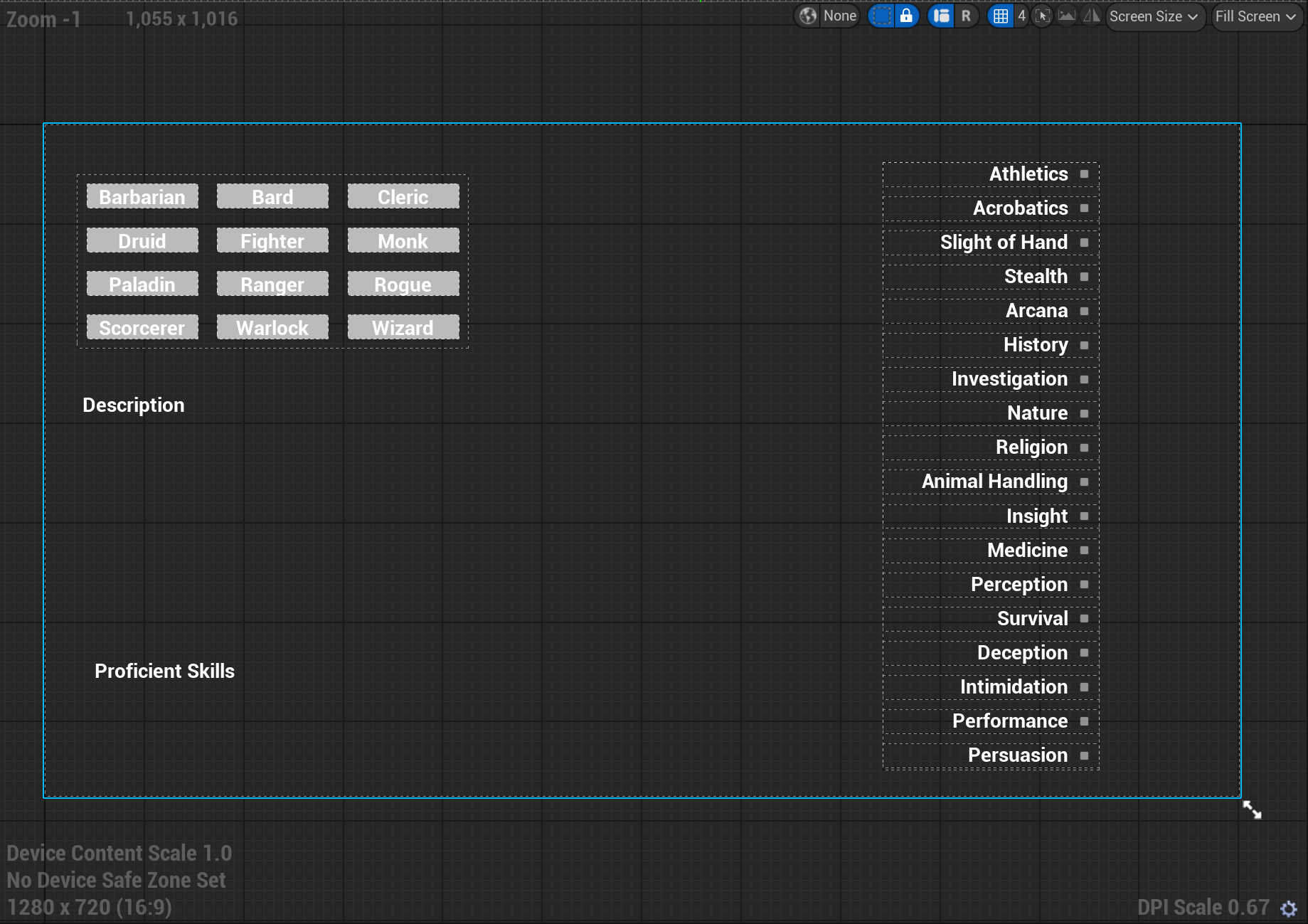
Skill Check
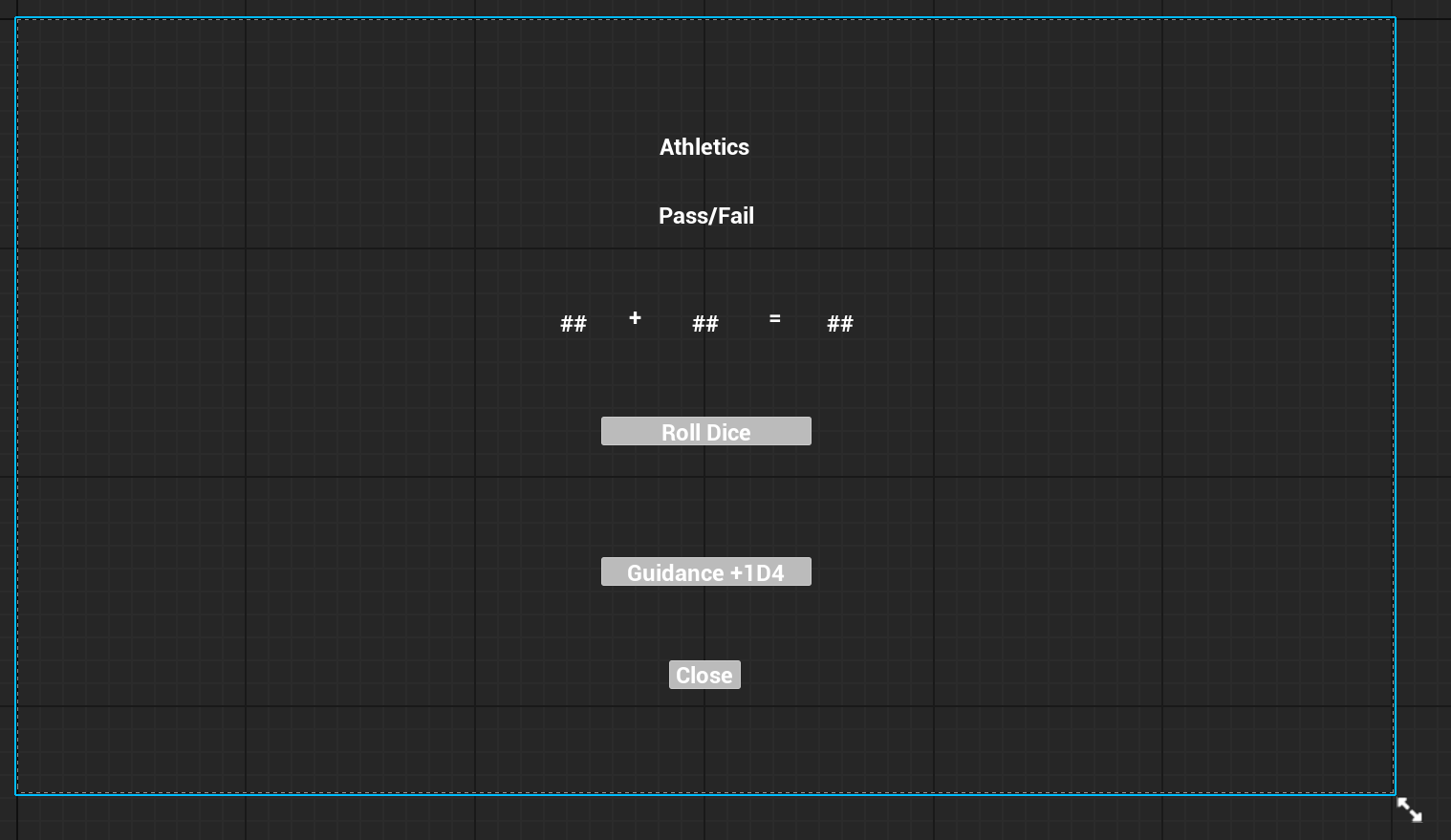
The skill check is done in the widget. This makes sure that I do not need to cast to the player, to get the player component, to get to where the skill check function is. Instead, I just call the function where all of this is set, which is in the Blueprint Function Library as mentioned previously. It’s that simple.
This makes it simple, easy on performance, modular, and without much effort.
A Skill Check Zone
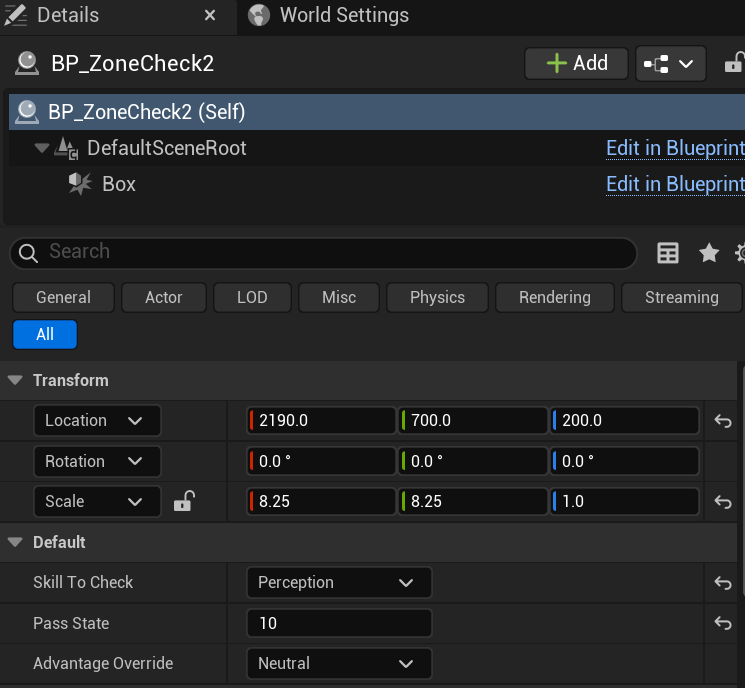
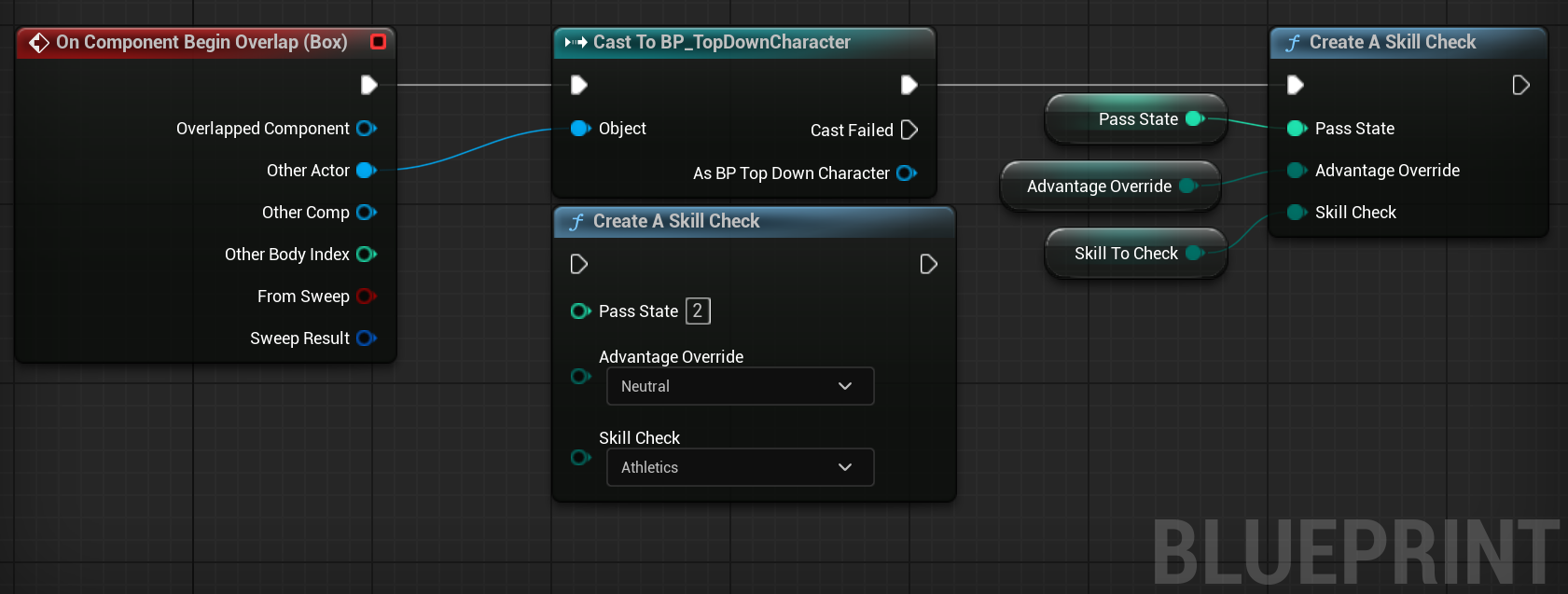
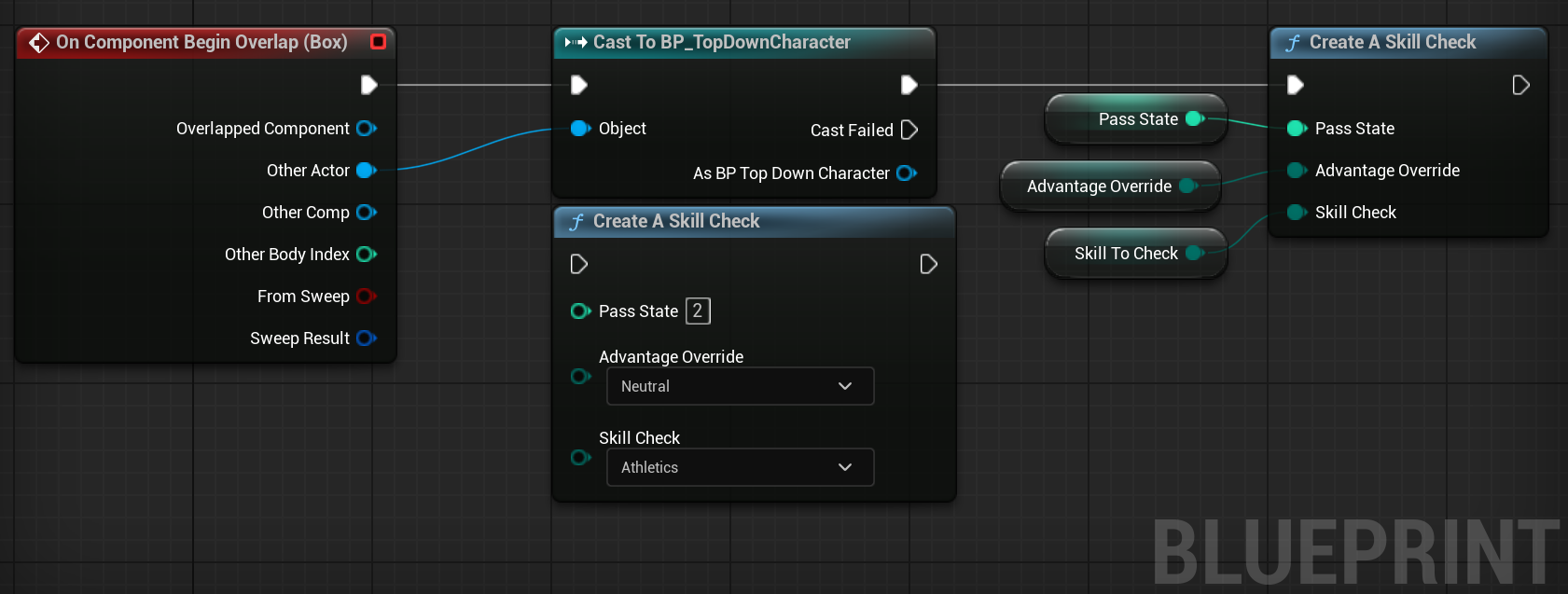
The Zone Check has three main variable. These three are the skill to check, the pass state, and the advantage override. This allows the designer to edit all of this in the editor without any delay, making this system very designer friendly. In addition, this menu, and everything around it, also closes when the player closes the skill check button, so it makes it even more modular without any need to have a “Close UI” function, though I also have that function just in case it’s needed. Since the zone is just a trigger box, this makes it easy to resize, reshape, and readjust as needed.
The widget here displays the skill being checked (Athletics by default), along with the pass/fail message as well. The first number is the Initial Dice Amount and the second number is the buff/debuff. This means that the player will be able to add any kind of buff. The most common one is Guidance, a 1D4 addition. This gives the total amount for the Dice Roll, the number at the far end.
Once the player has rolled the dice, they are able to press the close button, as it becomes visible. This means that the player will be able to see what their dice rolls are and any buffs/debuffs they wish to get themselves.
All of these values come fromt the struct that was passed through from the skill check function.